
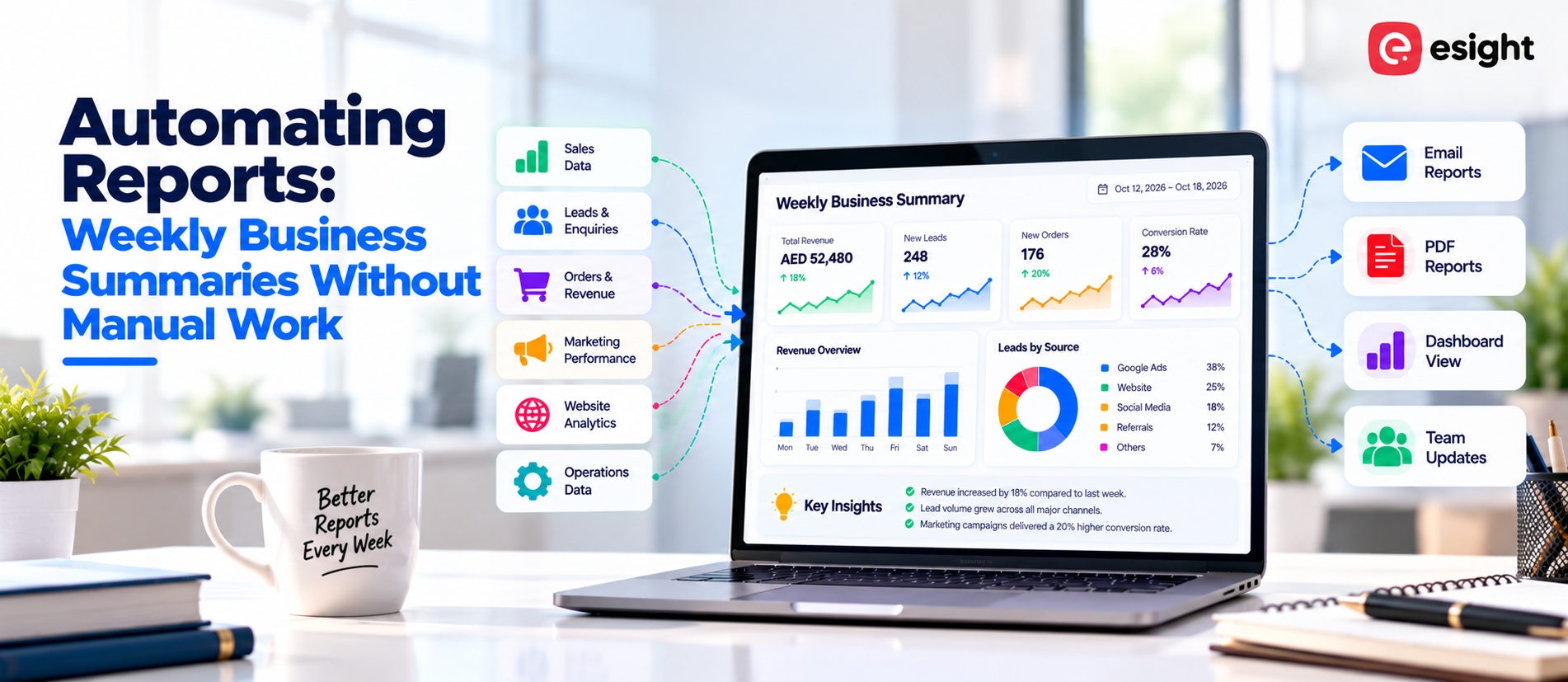
Weekly figures usually sit in five different places: a billing tool, a CRM, an ad account, a store backend and a spreadsheet. Someone has to gather them by hand before any decision can happen. Automating reports hands that gathering, summarizing and sending to software. Below, you will see how automated weekly summaries are built, which businesses profit most, and what a sound setup looks like.
What Does Automated Weekly Reporting Mean?
It is a pipeline that pulls numbers out of your business tools, arranges them, writes a short readable summary and delivers it to chosen recipients every week. Nobody retypes or pastes anything.
A dashboard displays current numbers and leaves interpretation to the viewer. A summary does the interpreting: what moved, how far and what deserves a response. AI models can draft that commentary directly from the data, so non-technical readers get the point without opening a chart.
Why Manual Weekly Reports Hold a Business Back
Hours Spent on Copying and Formatting
Exports from accounting software, CRM, ad platforms and online stores land in separate files. Staff merge and format them by hand, and the cycle restarts the following week.
Errors From Manual Data Handling
Pasted values go stale, formulas break and date ranges drift out of alignment. A single wrong cell can tilt a conclusion before anyone spots it.
Delayed Decisions
A report that lands days after the week closes describes the past more than it guides the present. Managers either act on old figures or ignore the report.
How Automated Business Summaries Work
Connecting Data Sources
APIs and built-in integrations link the tools a business already runs. Typical sources are:
Accounting and billing software such as Tally or Zoho Books
CRM and lead management systems
Shopify, WooCommerce and other store platforms
Google Analytics, Google Ads and Meta Ads
Spreadsheets in Google Sheets or Microsoft Excel
Cleaning and Organizing the Data
Next, the system unifies date formats, deletes duplicate records, aligns matching fields across tools and groups figures by product, campaign, branch or batch. Technical professionals refer to this process as ETL: extraction, transformation, loading.
Generating the Summary With AI
Language models turn the cleaned figures into brief written findings. They set this week beside last week and mark sharp swings using simple anomaly detection.
Delivering Reports on a Schedule
A scheduled trigger sends the finished summary through email, WhatsApp, Slack or a shared dashboard at a set hour, for example Monday at 8 a.m.
What a Useful Weekly Summary Should Include
Focus keeps a summary readable. Most teams do well with these items:
Revenue and sales totals
Orders, enrolments or appointments
New leads and how many converted
Ad spend against return
Overdue payments or fee dues
Stock levels or available capacity
Change since the previous week
Items needing action next week
Brief summaries get read; long ones get skimmed. Digital marketing results from search, social media and paid campaigns can flow into the same report, which lets teams trace marketing spend to revenue.
Who Benefits Most From Report Automation?
E-commerce Businesses
Sales by product and channel, order trends, return rates, ad results and stock levels arrive from platforms such as Shopify or WooCommerce.
Edtech Companies and Coaching Institutes
Enquiries, admissions, batch attendance, course completion and fee follow-ups gather from a learning management system and a CRM.
Health Clinics
Appointment volume, no-show rates, billing status and revenue per service sit in one view. Patient data calls for strict access control and compliance with India’s Digital Personal Data Protection Act, 2023.
Small, Medium and Large Businesses
Small teams win back staff hours. Medium businesses get uniform reporting across departments. Large organizations merge data from many branches into one management report.
When Is the Right Time to Automate?
Look for practical signs. Automation fits when:
Preparing the weekly report takes hours
Several people edit the same files
Teams quote different numbers for the same metric
Reports reach readers late
Three or more tools hold data that never meets
Define the metrics first. Vague definitions produce vague reports, only faster.
How to Set Up Automated Reporting Step by Step
Decide which decisions the report must support.
Pick the metrics behind those decisions.
List every data source and who owns it.
Build the connections and test each one.
Design the summary layout and delivery schedule.
Compare system-generated reports with manually prepared versions over several weeks before completing the transition to automation.
Accuracy, Security and Common Mistakes
Weak source data yields weak reports, so tidy entries matter. Incorrect data alignment leads to inaccurate figures, while excessive performance indicators obscure the main insights. Give each user access by role and encrypt sensitive records. Have a person read the AI drafted summary during the first few weeks.
Regional support helps as well. Businesses usually get better results from an AI automation company in Kochi or an AI automation company in Kerala that already understands local tools, billing habits and compliance rules. Esight Solutions, based in Kochi, builds AI automation and software solutions for businesses of varied sizes.
Frequently Asked Questions
What Is an Automated Weekly Business Report?
This report combines business information automatically and reaches recipients at scheduled intervals, presenting essential metrics, comparative results, and concise explanations to support informed decisions and planning. No manual compiling is involved.
Which Data Sources Can Feed an Automated Report?
Accounting software, CRM, ERP, e-commerce platforms, ad accounts, Google Analytics and spreadsheets all connect through APIs or scheduled exports.
Is Automated Reporting Suitable for Small Businesses?
Yes. A small business with two or three tools and one recurring weekly report sees the clearest time savings, and setup stays simple at that scale.
How Accurate Are AI Generated Business Summaries?
Accuracy follows the quality of the source data and the field mapping. Checking early reports against manual figures confirms the setup before it goes live.
How Long Does Setup Take?
Timelines depend on the number of data sources and the complexity of the metrics. A summary from one source can be ready far sooner than a multi-branch report.
Conclusion
Automated weekly summaries put accurate figures in front of teams on time, so effort shifts from preparing reports to acting on them. A sensible first step is listing current reports and the tools behind them. Esight Solutions supports businesses with AI automation and software development for this process.


Let’s Build Something Powerful
Tell us about your business challenge. We’ll tell you how we’d solve it.